


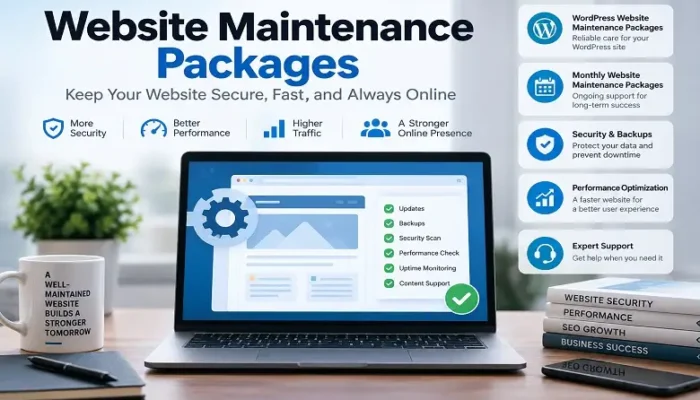
Launching a website is only the beginning of managing a successful online presence. Once a site goes live, it needs regular updates, security checks, backups, performance monitoring, content improvements, and technical troubleshooting. Without ongoing maintenance, even a professionally designed website can eventually develop broken features, security vulnerabilities, slow loading times, outdated software, or compatibility problems. This is why businesses of all sizes rely on website maintenance packages to keep their websites secure, reliable, and functional over the long term.
A professional maintenance plan provides an organized way to handle routine technical work without requiring business owners to manage every update themselves. Depending on the provider and the website’s complexity, a package can include software updates, security monitoring, backups, uptime monitoring, performance optimization, bug fixes, content changes, technical support, and reporting. The right plan should be based on the website’s platform, business importance, traffic, security requirements, and expected level of support—not simply the lowest monthly price.
What Is a Website Maintenance Package?
A website maintenance package is an ongoing service agreement between a website owner and a developer, agency, or maintenance provider. Instead of paying separately every time a technical problem occurs, the website owner pays a recurring fee for a defined set of maintenance services.
The purpose is both preventive and corrective. Preventive maintenance attempts to identify problems before they affect visitors, while corrective maintenance addresses issues that have already occurred. For example, routine software updates can reduce security and compatibility risks, while technical support can resolve a broken contact form after an update.
A typical website maintenance package may include website backups, CMS updates, security monitoring, plugin and theme updates, uptime checks, performance reviews, minor content changes, technical troubleshooting, and a certain number of development hours. More advanced plans may also include malware removal, database optimization, staging environments, emergency support, and technical SEO checks.
However, there is no universal definition of what a maintenance package must contain. Two providers can use the same package name while offering very different services. This makes it important to examine the actual scope of work before signing an agreement.
Why Is Website Maintenance Important?
A website is not a static asset. Its underlying software, integrations, hosting environment, content, and security requirements can change continuously. A site that works perfectly today may develop problems months later because a plugin becomes outdated, a third-party API changes, a certificate expires, or a software update creates a compatibility issue.
Regular maintenance reduces the likelihood of these problems becoming serious disruptions.
Security is one of the strongest reasons to maintain a website. Outdated software can expose websites to known vulnerabilities, while weak passwords, unnecessary administrator accounts, poorly configured permissions, and outdated plugins can increase the attack surface. Maintenance cannot guarantee that a website will never be compromised, but it can significantly improve its security posture when combined with appropriate hosting and security controls.
Performance is another consideration. Websites accumulate content, database records, scripts, images, plugins, and third-party integrations over time. Without periodic review, these elements can contribute to slower loading and a less efficient user experience.
For businesses, maintenance is ultimately about reducing avoidable risk. A website that generates leads, processes payments, accepts bookings, publishes important information, or supports customers is an operational business asset. Keeping it functional deserves the same attention as maintaining other important business systems.
What Do Website Maintenance Packages Usually Include?
The exact services vary, but most professional plans revolve around several core areas: security, backups, updates, performance, monitoring, technical support, and content management.
Security Monitoring and Protection
Website security should be a central component of ongoing maintenance. Cyberattacks are not limited to large corporations; automated bots can scan websites of all sizes for vulnerable software, exposed login pages, outdated components, and other weaknesses.
A maintenance provider may monitor the website for malware, suspicious activity, vulnerable plugins, unauthorized changes, and other security issues. Depending on the setup, the provider may also configure a web application firewall, strengthen login security, limit unnecessary administrative access, and implement additional security controls.
Security maintenance should also include a process for dealing with an incident. If malware is detected, the provider should know how to isolate the issue, identify the affected files, clean the website where possible, investigate the likely cause, and restore a known-good backup if necessary.
Businesses should ask exactly what “security included” means in a package. A simple automated malware scan is very different from continuous monitoring combined with hands-on incident response.
Website Backups and Disaster Recovery
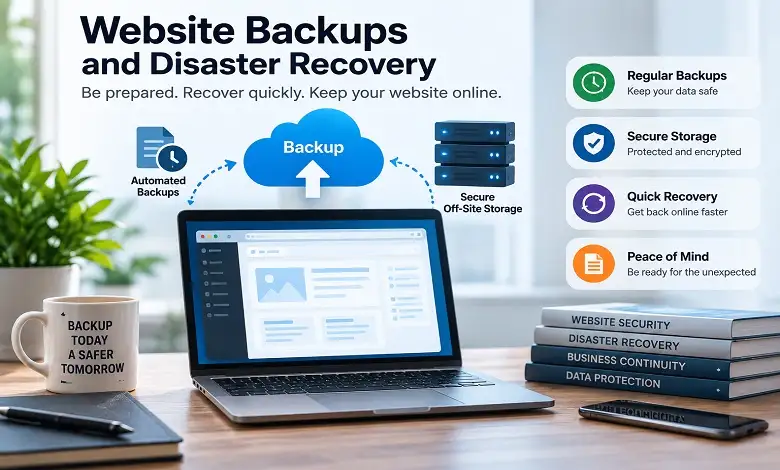
Backups are one of the most important parts of website maintenance because they provide a recovery option when something goes seriously wrong.
A useful backup strategy should cover the website’s files and database. Depending on the platform, other configuration data may also need to be preserved. Backup frequency should reflect how often the website changes. A frequently updated ecommerce website may require more frequent backups than a simple brochure site that changes once every few months.
Storage location also matters. Keeping every backup on the same server as the live website can create a problem if the server itself becomes unavailable or compromised. Off-site or geographically separate storage provides an additional layer of protection.
A strong maintenance service should also explain how restoration works. A backup that has never been tested may not provide the confidence a business owner expects. Periodic restoration testing can help confirm that the recovery process actually works.
CMS, Plugin and Software Updates
Content management systems and their associated components receive updates for security, bug fixes, compatibility, and new functionality.
WordPress is a good example. A WordPress website may depend on the WordPress core, a theme, numerous plugins, PHP, the database, caching technology, security tools, and external services. Keeping these components reasonably current helps reduce security and compatibility problems.
However, updating software without checking compatibility can create new problems. A plugin update may conflict with another plugin or custom code. For this reason, quality maintenance is more than pressing an update button.
For important websites, providers may use a staging environment or perform backups before significant updates. After updating, they can test key functions such as navigation, forms, checkout, login, search, and integrations.
Uptime Monitoring
Uptime monitoring checks whether a website remains accessible to visitors. When the monitoring system detects that a website is unavailable, it can alert the maintenance team.
This is particularly important for websites that generate revenue or leads. If an ecommerce website becomes unavailable during a busy period, customers may be unable to complete purchases. Similarly, a service business can lose potential leads if contact forms or landing pages become inaccessible.
Uptime monitoring does not prevent every outage. Its main value is helping the business discover availability problems quickly rather than waiting for a customer to report them.
Website Performance Monitoring
Performance can change over time. New plugins, larger images, additional tracking scripts, database growth, and third-party integrations can gradually make a website less efficient.
Performance maintenance may involve reviewing page-loading behavior, image sizes, caching, server response time, scripts, CSS, databases, and other technical factors.
A professional approach should focus on the actual user experience rather than obsessing over a single automated score. Tools such as Google’s performance testing systems can identify potential issues, but real-world performance depends on the user’s device, network, location, page type, hosting environment, and many other factors.
Regular monitoring helps identify performance degradation before it becomes a major usability problem.
Monthly Website Maintenance Packages: What Should You Expect?
Monthly website maintenance packages are popular because they provide ongoing assistance for a predictable recurring cost. Instead of contacting a developer only after something breaks, businesses have a scheduled maintenance process that covers routine tasks throughout the year.
A monthly plan might include software updates, security monitoring, backups, uptime checks, performance reviews, minor content edits, and a fixed amount of technical support. More comprehensive plans can include development hours, emergency assistance, SEO-related technical checks, and detailed reporting.
The biggest advantage of a monthly arrangement is continuity. The maintenance provider becomes familiar with the website’s architecture, plugins, integrations, hosting environment, and previous issues. This can make troubleshooting more efficient than repeatedly hiring different developers who must first learn how the website works.
Before choosing one of these plans, determine whether the monthly fee covers actual hands-on work or primarily automated services. A package offering “24/7 monitoring” may sound impressive, but businesses should still ask who responds when an alert occurs and how quickly human assistance is available.
WordPress Website Maintenance Packages Explained
WordPress website maintenance packages are designed specifically around the needs of WordPress websites. Because WordPress sites can use different combinations of themes, plugins, custom code, hosting environments, and third-party services, maintenance requirements can vary considerably.
A basic WordPress website with a small number of trusted plugins may require relatively little technical attention. A larger website with custom development, ecommerce functionality, membership features, or dozens of integrations requires a much more careful maintenance process.
A WordPress-focused plan may cover WordPress core updates, plugin updates, theme updates, security monitoring, backups, malware scanning, database maintenance, uptime monitoring, performance optimization, and minor content changes.
WordPress Plugin Management
Plugins add functionality, but they also create dependencies. A website might use plugins for forms, SEO, ecommerce, caching, analytics, security, memberships, bookings, or page building.
Keeping plugins updated can improve security, but every update should be evaluated for compatibility. Maintenance providers should also identify plugins that are abandoned, unsupported, redundant, or unnecessarily installed.
Reducing the number of unnecessary plugins can improve maintainability and reduce potential conflicts.
WordPress Theme Maintenance
Themes determine much of a WordPress site’s appearance and front-end functionality. Theme updates can contain security fixes and compatibility improvements, but custom modifications can make updates more complicated.
A professionally maintained WordPress website should distinguish between an off-the-shelf theme and a heavily customized theme. If custom code is overwritten during an update, visual or functional problems can occur.
WordPress Database Maintenance
WordPress databases can accumulate revisions, temporary data, spam comments, expired transient data, and other records. Appropriate database maintenance can help keep the installation organized.
However, database cleanup should be performed carefully. Deleting records without understanding their purpose can cause problems. A reliable backup should exist before performing potentially destructive maintenance tasks.
Ecommerce Website Maintenance Requires Extra Attention

Ecommerce websites generally require more extensive maintenance than informational websites because technical problems can directly interfere with transactions.
A store may depend on payment gateways, shopping carts, product databases, customer accounts, shipping systems, tax calculations, inventory integrations, transactional emails, and third-party applications.
A good ecommerce maintenance process should periodically verify that important customer journeys continue to work. This can include testing product pages, cart functionality, checkout, payment processing, order confirmation, account login, and transactional notifications.
Security is especially important because ecommerce websites can handle sensitive customer and transaction-related information. Businesses should ensure that their hosting, payment providers, security controls, access management, and software are appropriately configured.
Website Maintenance and SEO
Website maintenance and SEO are different services, but they overlap in several technical areas.
Search engines need to be able to access, crawl, and understand a website. Technical problems such as widespread broken links, incorrect redirects, accidental noindex directives, persistent downtime, slow performance, or serious mobile usability problems can interfere with search visibility and user experience.
A maintenance plan can therefore include basic technical SEO checks. These might involve monitoring broken links, checking redirects, identifying indexing issues, reviewing site availability, and ensuring that important pages remain functional.
However, businesses should not confuse technical maintenance with a full SEO campaign. Keyword research, content strategy, digital PR, link building, competitor analysis, and ongoing search optimization generally require a separate SEO service.
Website Maintenance Package vs. Website Support
The terms “maintenance” and “support” are sometimes used interchangeably, but they can describe different activities.
Maintenance generally refers to proactive and recurring tasks such as updates, backups, monitoring, security checks, and performance reviews.
Support is more often associated with responding to requests or problems. For example, a business might ask a developer to change a phone number, fix a form, troubleshoot a plugin conflict, or add a small website element.
The best plans clearly explain how these services interact. A package may include maintenance plus a specific number of support hours every month.
Businesses should find out whether unused support hours expire, roll over, or are billed separately.
How Much Do Website Maintenance Packages Cost?
The cost varies widely because websites differ dramatically in size, technology, complexity, and business importance.
A simple informational website may require only routine updates, backups, monitoring, and occasional content changes. A large ecommerce store or custom web application may need continuous monitoring, security management, development support, testing, and emergency response.
Factors that influence price include:
- Website size
- CMS or technology stack
- Number of plugins and integrations
- Ecommerce functionality
- Traffic volume
- Security requirements
- Backup frequency
- Support hours
- Development complexity
- Response-time requirements
- Hosting environment
- Reporting requirements
A low-cost plan can be perfectly suitable for a small website if it covers the site’s actual needs. However, businesses should not compare prices without comparing scope.
A $30 monthly plan and a $300 monthly plan may appear dramatically different, but they may not be providing remotely similar levels of service.
What Is Usually Excluded From a Maintenance Plan?
One of the most important things to review is what the provider considers outside the maintenance agreement.
Routine content changes may be included, while a complete website redesign may be charged separately. Similarly, fixing a minor CSS issue may fall within included support hours, whereas developing a custom ecommerce feature could be treated as a separate project.
Common exclusions can include:
- Complete website redesigns
- Website migrations
- Large development projects
- New custom applications
- Major ecommerce development
- Extensive content writing
- Full SEO campaigns
- Digital marketing
- Paid advertising
- Branding
- Hosting fees
- Premium plugin licenses
There is nothing wrong with these services being excluded. The important thing is that the provider communicates the boundaries clearly.
How to Choose the Right Website Maintenance Package
Choosing a maintenance plan should begin with the website itself rather than the provider’s package names.
First, identify the technology powering the website. WordPress, Shopify, custom applications, and other platforms have different maintenance requirements.
Next, consider the website’s business importance. If the website is primarily informational, a basic plan may be sufficient. If it processes orders or generates a substantial percentage of your leads, downtime and security incidents can have much greater consequences.
You should also consider how frequently the website changes. A static company website may need less content support than a news website, online store, or membership platform.
Finally, consider how quickly you need assistance when something goes wrong. A business that can tolerate a problem for several days has different requirements from an online store that cannot afford extended downtime.
Questions to Ask a Website Maintenance Provider
Before purchasing a website maintenance package, ask the provider specific questions rather than relying only on the package description.
Ask how frequently backups are performed, where they are stored, and how restoration works. Find out whether updates are tested before deployment and whether a staging environment is available for complex websites.
Ask what happens if malware is discovered. Does the package include cleanup, or will remediation be billed separately?
You should also clarify support response times. “Priority support” means little unless the provider defines what priority actually means.
Other useful questions include:
- How many support hours are included?
- Are unused hours carried forward?
- Are emergency fixes included?
- Is website migration included?
- Are premium plugin licenses included?
- Who owns the backups?
- What happens if the maintenance contract ends?
- Will you receive monthly reports?
- Does the provider monitor uptime?
- How are major software updates handled?
- What happens after an update breaks a feature?
Clear answers to these questions can help you distinguish a genuine maintenance service from a package that primarily consists of automated updates.
Common Website Maintenance Mistakes
Many website owners make the mistake of thinking that maintenance means updating plugins once a month.
In reality, maintenance is broader.
Another common mistake is keeping backups without ever testing them. A backup that cannot be restored when needed provides a false sense of security.
Businesses also sometimes install too many plugins or third-party scripts without reviewing whether they are still necessary. Every additional dependency can increase maintenance requirements.
Ignoring small problems is another risk. A broken form, outdated plugin, expired SSL certificate, or unusual server error may appear minor initially but can become more serious if left unresolved.
Perhaps the most important mistake is waiting for something to break before taking action. Preventive maintenance is generally easier and less disruptive than emergency recovery.
DIY Website Maintenance vs. Hiring a Professional
Some website owners can handle basic maintenance themselves, especially when they operate a small website using a straightforward CMS.
DIY maintenance can work when someone has sufficient technical knowledge, understands backups and security, has time to monitor the website, and knows how to recover from problems.
Professional maintenance becomes more attractive when the website is commercially important, technically complex, frequently updated, or difficult to recover.
A professional service can also save internal teams time. Instead of asking employees to monitor updates, investigate errors, manage backups, and troubleshoot compatibility problems, businesses can assign those responsibilities to specialists.
The right decision depends on the cost of professional maintenance compared with the time, expertise, and risk involved in doing the work internally.
How Often Should a Website Be Maintained?
There is no single maintenance schedule suitable for every website.
Security and uptime monitoring can operate continuously. Backups may run daily or more frequently for websites with significant changes. Software updates should be reviewed regularly, while performance and technical health checks can be performed on a recurring schedule.
Content and functionality should also be reviewed periodically. A business should verify that contact information, forms, product details, links, images, policies, and other important content remain accurate.
More comprehensive technical reviews can be performed quarterly or at another interval appropriate to the site’s complexity.
The important principle is consistency. Regular smaller checks are usually preferable to ignoring the website for a year and then attempting a major cleanup.
Final Thoughts
A website is an ongoing technology project rather than a one-time purchase. Security threats change, software is updated, new devices and browsers appear, content grows, and business requirements evolve. Regular maintenance helps keep all of these moving parts under control.
The best website maintenance packages combine preventive care with responsive technical support. For businesses that want predictable ongoing assistance, monthly website maintenance packages can provide a practical way to manage updates, security, backups, performance, and smaller website changes. Businesses running WordPress can also benefit from specialized WordPress website maintenance packages that account for the relationship between WordPress core, themes, plugins, hosting, and custom functionality.
When comparing providers, focus on what you actually receive rather than the number of features listed on a sales page. Examine backup procedures, security coverage, update testing, support response times, included hours, reporting, exclusions, and emergency procedures.
Ultimately, the right website maintenance package is the one that matches the technical complexity and business importance of your website. A thoughtful maintenance strategy can reduce avoidable downtime, improve security and reliability, protect your investment, and give your team greater confidence that the website will continue to perform when customers need it.
Frequently Asked Questions
A. They are ongoing service plans that keep websites updated, secure, functional, and performing well.
A. Pricing depends on the website’s size, platform, complexity, security needs, and required support.
A. They commonly include updates, backups, security monitoring, uptime checks, performance reviews, and minor fixes.
A. Yes. They help manage WordPress updates, plugins, themes, security, backups, and compatibility issues.
A. Important security and uptime checks should be ongoing, while updates and broader maintenance can be performed regularly each month.
A. Yes. Keeping a website fast, accessible, secure, and free of technical problems can support its SEO performance.
A. Many packages include backups, but frequency, storage, retention, and restoration policies vary by provider.
A. Yes, for simple websites if you have the necessary technical knowledge and time. Complex or business-critical websites may benefit from professional maintenance.
A. Some plans include minor content changes, while larger updates or new development are usually charged separately.
A. Compare the services, security coverage, backup policy, support hours, response times, pricing, and exclusions to find a plan that fits your website.