


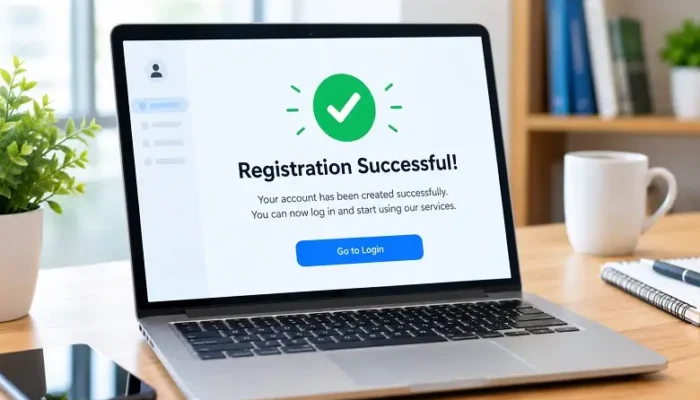
A user registration success message confirms that a new account has been created successfully after a user completes a signup form. It is a small part of a website or application, but it plays an important role in the overall user experience. A clear message helps users understand whether registration was completed and whether they need to take another action.
Some websites activate an account immediately, while others require email verification, administrator approval, or profile completion. Because registration processes differ, the confirmation message should accurately reflect what has happened instead of using the same message for every situation.
What Is a User Registration Success Message?
A user registration success message is a notification or confirmation displayed after the registration process has been successfully completed.
For a simple registration process, the message could say:
Your account has been created successfully. You can now sign in.
If email verification is required, a more suitable message would be:
Your account has been created. Please check your email to verify your account.
The purpose is to confirm the result and help the user understand the next step.
A success message can appear directly on the registration page, on a separate confirmation page, inside a notification, or as part of an onboarding screen. The format depends on the design and functionality of the application.
Why a Registration Success Message Matters
After submitting a registration form, users expect some type of confirmation. If the interface does not provide clear feedback, they may wonder whether the form was submitted correctly.
This uncertainty can lead to repeated submissions, unnecessary page refreshes, or support requests. A well-written confirmation prevents these problems by clearly communicating the current status of the account.
The message becomes even more important when registration involves multiple stages. For example, an application may create the account immediately but require the user to verify an email address before providing full access.
In that situation, simply displaying “Registration successful” does not provide enough information.
What Should a Good Registration Success Message Include?
A useful confirmation should explain what happened and, when necessary, what the user should do next.
For example:
Your account has been created successfully. Please verify your email address to activate your account.
This is more helpful than a generic confirmation because it explains both the completed action and the remaining requirement.
The message should be concise, but it should not be so short that important information is missing. Users do not need technical details about database operations or server processes. They need information that helps them understand their account and continue using the website or application.
Common Types of Registration Success Messages
The wording should depend on the registration workflow.
Account Is Ready Immediately
If the account becomes active as soon as registration is completed, the message can be simple:
Your account has been created successfully. You can now sign in.
A button such as “Sign In” can take the user directly to the login page.
Email Verification Is Required
If the application requires users to confirm their email address, the message should make that requirement clear:
Your account has been created. We sent a verification link to your email address. Please verify your email to continue.
A resend option can also be provided if the verification email does not arrive.
User Is Automatically Logged In
Some applications automatically authenticate users after registration. In this situation, asking them to sign in again is unnecessary.
A suitable message could be:
Welcome! Your account is ready and you are now signed in.
The user can then be directed to the dashboard or the next onboarding step.
Administrator Approval Is Required
Some membership websites, business platforms, and private communities manually review new registrations.
A suitable message would be:
Your registration has been received and is awaiting approval. We will notify you when your account is approved.
This is more accurate than telling the user that their account is already active.
Registration and Email Verification Are Different Stages
Registration and email verification are often treated as the same process, but they can represent different account states.
A typical workflow may involve account creation first, followed by email verification and activation. The system may create the user’s account in its database while keeping access restricted until the email address is confirmed.
The interface should communicate these stages clearly. If verification is still required, the success message should not imply that the user already has complete access.
This is especially important for applications that use email verification as part of their security process.
How to Write a Natural Success Message
The language should be straightforward and match the tone of the application.
Avoid complicated wording such as:
Your registration procedure has been completed, and your account has now been registered within our system.
A simpler version is easier to understand:
Your account has been created successfully.
If another step is required, add only the necessary information:
Your account has been created successfully. Please verify your email to continue.
This approach keeps the interface clear without making the message feel robotic or overly formal.
Choosing the Right Next Action
A registration confirmation should help users move naturally to the next stage.
If the account is ready, the next action may be signing in or opening the dashboard. If email verification is required, the interface should explain how to complete it. And if profile information is missing, the user can be taken to the profile setup page.
The primary action should match the actual workflow. Avoid displaying several unrelated buttons that make users decide what to do after registration.
For example, an application that requires email verification should make verification the main action rather than directing users toward unrelated pages.
What Happens When the Verification Email Does Not Arrive?
Email delivery problems can create confusion after registration. A useful confirmation should provide a simple recovery option.
The message can tell users to check their inbox and spam folder and provide an option to resend the verification email.
The system should also consider verification-link expiration. If a user opens an expired link, the application should explain the problem and provide a way to request a new one rather than showing a generic error.
Rate limits should be applied to resend functionality to prevent abuse and excessive email requests.
Accessibility Considerations
Registration messages should be accessible to users with different abilities and interaction methods.
If a success message appears dynamically without reloading the page, the application should ensure that assistive technologies can recognize the important status update. Appropriate accessibility techniques can be used to announce dynamic feedback.
Success should also not depend only on colour. A green notification may visually indicate a successful action, but the message itself should clearly state what happened.
Keyboard navigation is another consideration. When the registration form is replaced by a confirmation message, keyboard users should be able to reach the new content and its primary action naturally.
Technical Considerations for Developers
From a technical perspective, the success message should be displayed only after the application confirms that registration was successfully processed.
A typical workflow involves form submission, validation, account creation, and a server response. The frontend then uses that response to display the appropriate state.
Client-side validation can improve the user experience, but important validation must also happen on the server. The application should never assume that a registration was successful simply because the user clicked the submit button.
Duplicate submissions should also be handled properly. If a user clicks the registration button multiple times while the request is processing, the application should prevent unnecessary duplicate account creation.
Security and Registration Confirmation
Registration messages should also be considered as part of the application’s security design.
Sensitive information should never be exposed through confirmation messages. Passwords and verification tokens should not appear in user-facing messages or insecure locations.
Applications should also carefully handle account verification links. Verification tokens should be difficult to guess, should have appropriate expiration rules, and should not remain valid indefinitely after successful use.
The amount of information revealed about existing accounts should also be considered. In some applications, overly specific registration responses can make it easier for attackers to determine whether an email address already belongs to an account.
User Registration Success Message in WordPress
WordPress websites can use different methods for user registration, including custom forms, themes, membership plugins, and registration systems.
The correct success message depends on how the website handles new accounts. Some websites automatically log users in, while others require email verification or administrator approval.
Before changing the message, check the complete registration workflow. The confirmation should match the actual account state and redirect users to the appropriate next step.
For example, if a WordPress website requires email verification, the confirmation should clearly tell the user to check their email rather than suggesting that the account is already fully active.
Common Mistakes to Avoid
One common mistake is using a vague message such as “Success!” without explaining what happened. Another is telling users that their account is active when verification or approval is still pending.
A confirmation can also become less effective when it contains too much promotional information. The primary purpose of the message is to confirm the registration and provide useful guidance.
Another issue is failing to provide recovery options. If email verification is required, users should have a way to request another verification email when the original message does not arrive.
The best approach is to keep the confirmation focused, accurate, and connected to the next step.
Registration Success Message Examples
| Registration Situation | Example Message |
| Account ready | Your account has been created successfully. You can now sign in. |
| Email verification | Your account has been created. Please verify your email address to continue. |
| Automatic login | Welcome! Your account is ready and you are now signed in. |
| Approval required | Your registration has been received and is awaiting approval. |
| Profile setup | Your account has been created. Complete your profile to finish setting up your account. |
These examples demonstrate why the wording should change according to the application’s registration process.
Final Thoughts
A user registration success message is a small but important part of a website or application’s signup experience. Its main purpose is to confirm what happened and provide clear guidance when another step is required.
The best messages are simple, accurate, and connected to the actual registration workflow. Whether the user needs to verify an email, wait for approval, complete a profile, or access a dashboard, the confirmation should make the next stage clear.
A well-designed registration message does not need to be complicated. Clear wording and accurate information are usually enough to create a smoother and more trustworthy signup experience.
Frequently Asked Questions
It is a confirmation displayed after a user successfully completes registration. It can also explain additional steps such as email verification, approval, or profile setup.
A good message clearly confirms the result and explains the next action when necessary. It should be concise, accurate, and easy to understand.
A button is useful when there is a clear next action, such as signing in, verifying an email address, or opening the dashboard.
Email verification can confirm that the user has access to the email address associated with the account. It is commonly used before activating full account access.
They provide immediate feedback, reduce uncertainty, prevent unnecessary repeated submissions, and help users understand what to do after creating an account.